

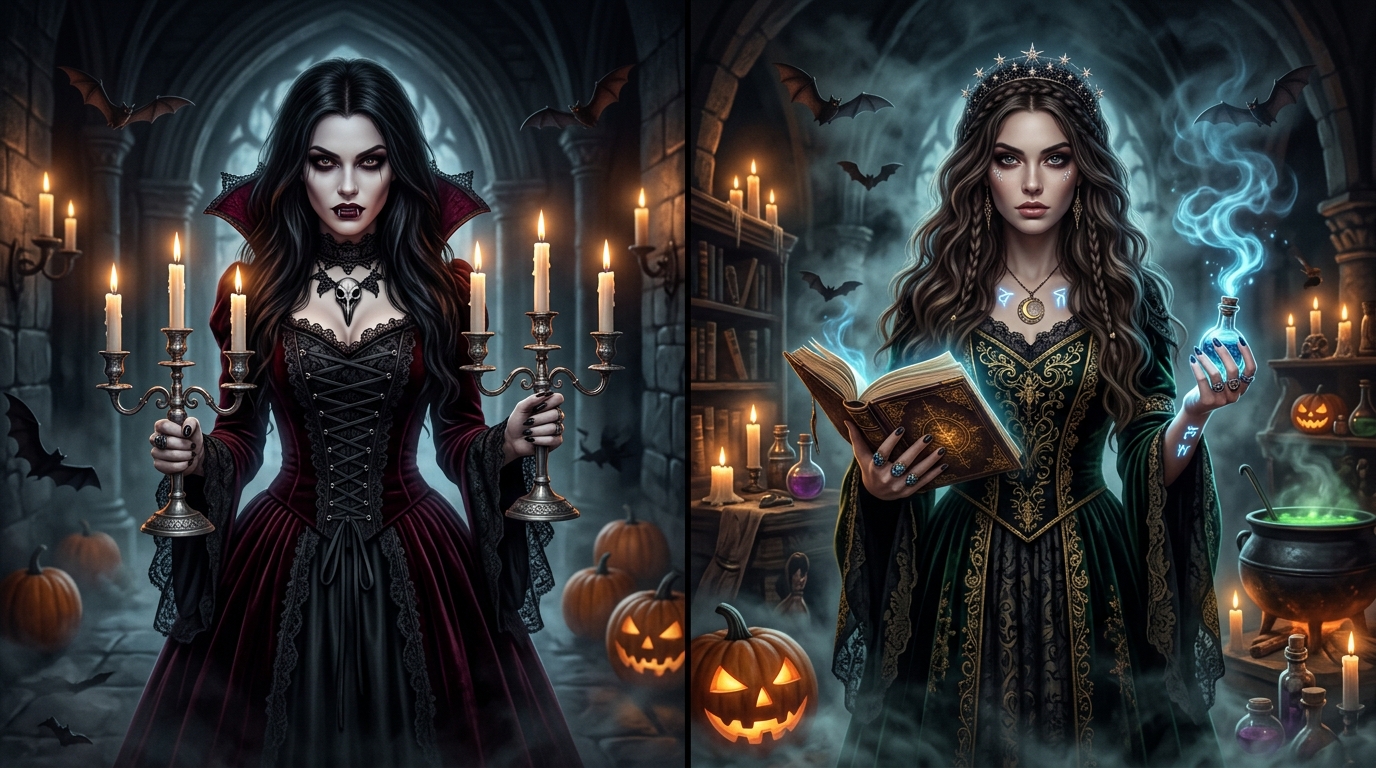
That is exactly what a Halloween costumes AI prompt lets you do. You upload a photo of yourself, paste a well-written prompt, and the AI generates a version of you dressed as a vampire, witch, zombie or anything else you imagine. People use these images for social media posts, profile pictures, party invitations, costume planning and pure fun.
In this guide, you will learn how the process works, how to write better prompts, and you will get 5 ready-to-use Halloween costume prompts you can copy today.
Table of Contents
- 1. What Is a Halloween Costumes AI Prompt?
- 2. Why Convert an Old Photo into a Costume?
- 3. Step-by-Step Guide: How to Use Prompts
- 4. Anatomy of a Good Halloween Costume Prompt
- 5. 5 Best Prompts (Copy & Paste)
- 6. Pro Tips to Get Better Results
- 7. Common Mistakes to Avoid
- 8. Is It Safe to Upload Your Photos?
- 9. Creative Ways to Use Your Spooky Photos
- 10. Halloween vs. Helloween Note
- 11. Frequently Asked Questions
What Is a Halloween Costumes AI Prompt?
A prompt is a written instruction you give to an AI image tool. A Halloween costumes AI prompt is a prompt designed to change how a person looks in a photo, such as their outfit, makeup, background and mood, while keeping their face and identity recognizable.
Instead of generating a random stranger, the AI uses your uploaded photo as a reference. Your face, pose and expression stay the same, while the costume, lighting and setting change into something spooky.
This works with most modern AI image tools that support image upload with text instructions, including ChatGPT image generation, Google Gemini, Midjourney (with image reference), and other editors that offer image-to-image features.
Why Convert an Old Photo into a Halloween Costume?
You might wonder why anyone would use an old photo instead of taking a new one. There are good reasons:
Natural expressions
Old photos often have natural expressions. A candid smile or a serious look gives the AI a strong base to work with.
Preview costumes risk-free
Before buying a vampire cape or hiring a makeup artist, see how the look actually suits you without spending a single dollar.
Great for people who cannot dress up
If you are busy, traveling or working, an AI costume photo lets you join the Halloween fun online and feel included.
Shareable social content
Halloween edits get strong engagement on Instagram, WhatsApp status, Facebook and X (Twitter).
It is also a creative way to revive memories: Turning a childhood or family photo into a spooky scene is surprisingly fun and makes for memorable holiday conversations.
How to Use a Halloween Costume AI Prompt (Step by Step)
Step 1: Choose a clear photo
Pick a photo where your face is well lit, facing the camera and not blurred. A waist-up portrait works best. Avoid heavy filters, sunglasses or hands covering the face.
Step 2: Open your AI image tool
Use any tool that allows you to upload an image along with a text prompt (e.g. ChatGPT Plus, Google Gemini, Midjourney with image URL, or image-to-image generators).
Step 3: Upload your photo
Attach your clean reference photo to the chat or image input box.
Step 4: Paste the prompt
Copy one of the 5 prompts below and paste it. Do not skip the line about keeping the face unchanged, because that instruction protects your likeness.
Step 5: Generate and refine
If the result is not perfect on the first try, tweak one detail at a time, such as the background, lighting, or makeup intensity.
The Anatomy of a Good Halloween Costume Prompt
Before the prompts, it helps to understand why some prompts give amazing results while others look fake. A strong prompt usually contains these 6 critical parts:
If you cover all six, your transformation results improve dramatically!
5 Best Halloween Costumes AI Prompts (Copy and Paste)
Replace the text in [brackets] if you want to personalize anything. Simply copy any prompt below, upload your photo to your favorite AI generator, and let the magic happen!
Prompt 1: Gothic Vampire
Best for: Dramatic, elegant portraits & profile pictures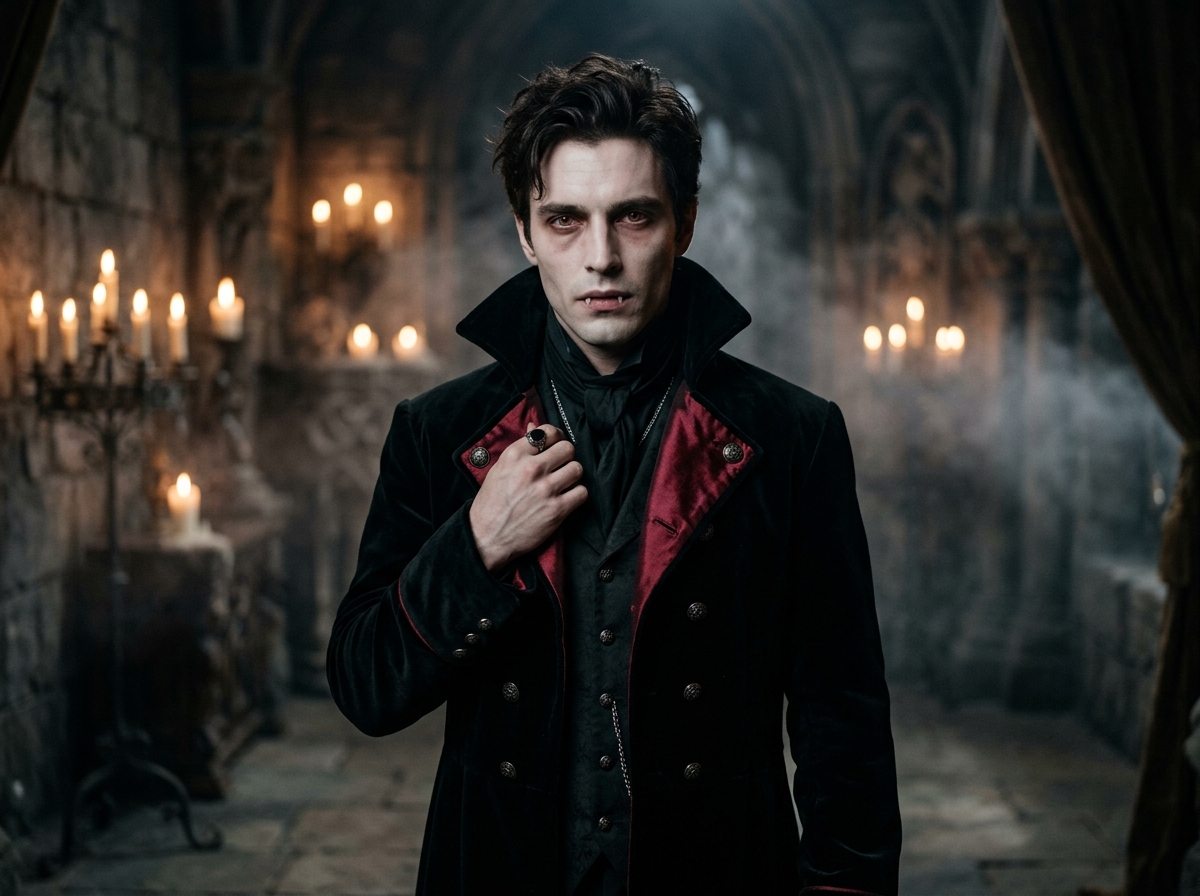
Transform the uploaded photo into a gothic vampire portrait. Keep the same face, facial features, hairstyle and expression as the original photo. Dress the person in a black Victorian velvet coat with a high collar and a deep red silk lining. Add pale skin, subtle dark circles, faint fangs and slightly red eyes. Place them inside a candle-lit castle hall with stone walls and drifting mist. Use moody cinematic lighting, shallow depth of field, ultra-realistic, highly detailed, 4K portrait photography.
Prompt 2: Mystical Witch
Best for: Magical, colorful & fantasy-style Halloween edits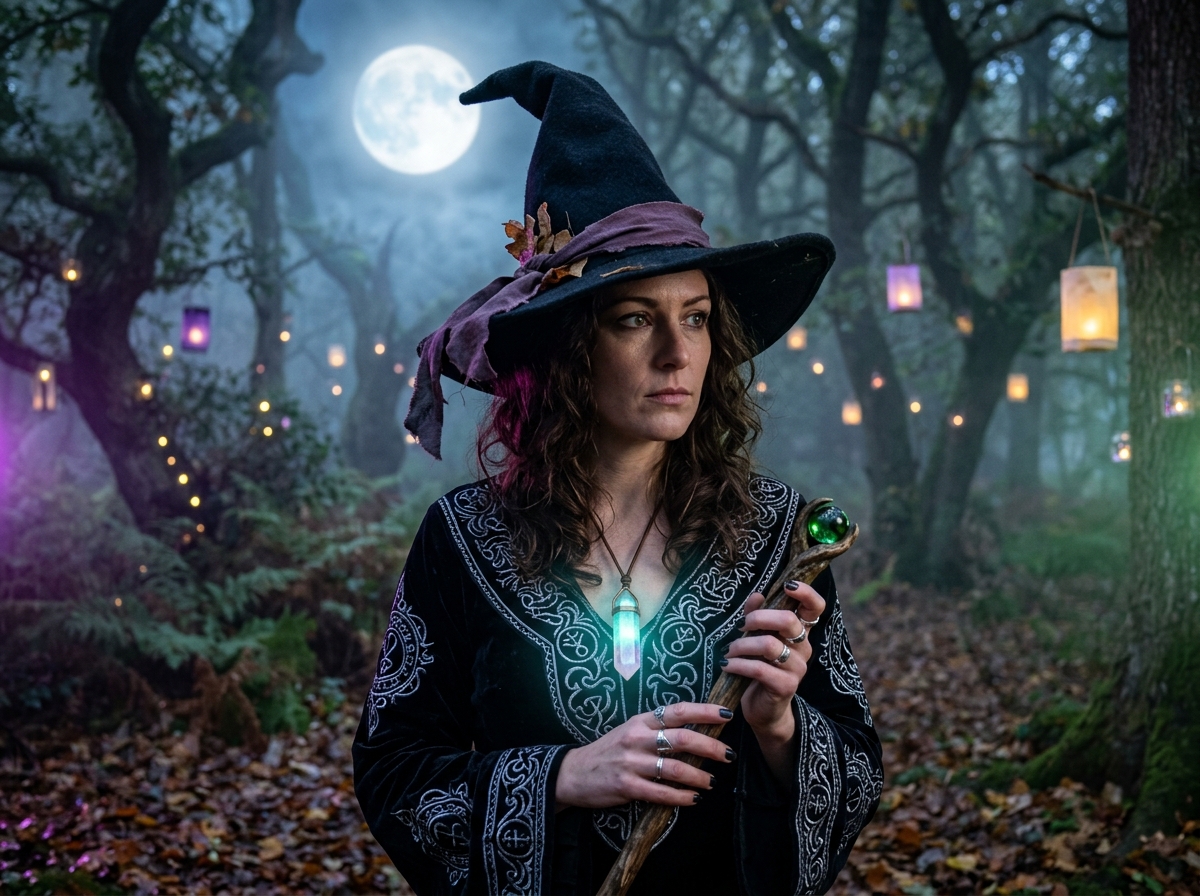
Convert the uploaded photo into a mystical witch portrait. Preserve the person's exact face, skin tone and expression. Add a tall black pointed hat with a weathered purple ribbon, a flowing dark robe with silver embroidery and a glowing crystal pendant. Background: a foggy forest at night with floating lanterns and a full moon. Soft purple and green magical glow, cinematic lighting, realistic skin texture, high detail, sharp focus.
Prompt 3: Cinematic Zombie Survivor
Best for: Horror fans who want a realistic, movie-style effect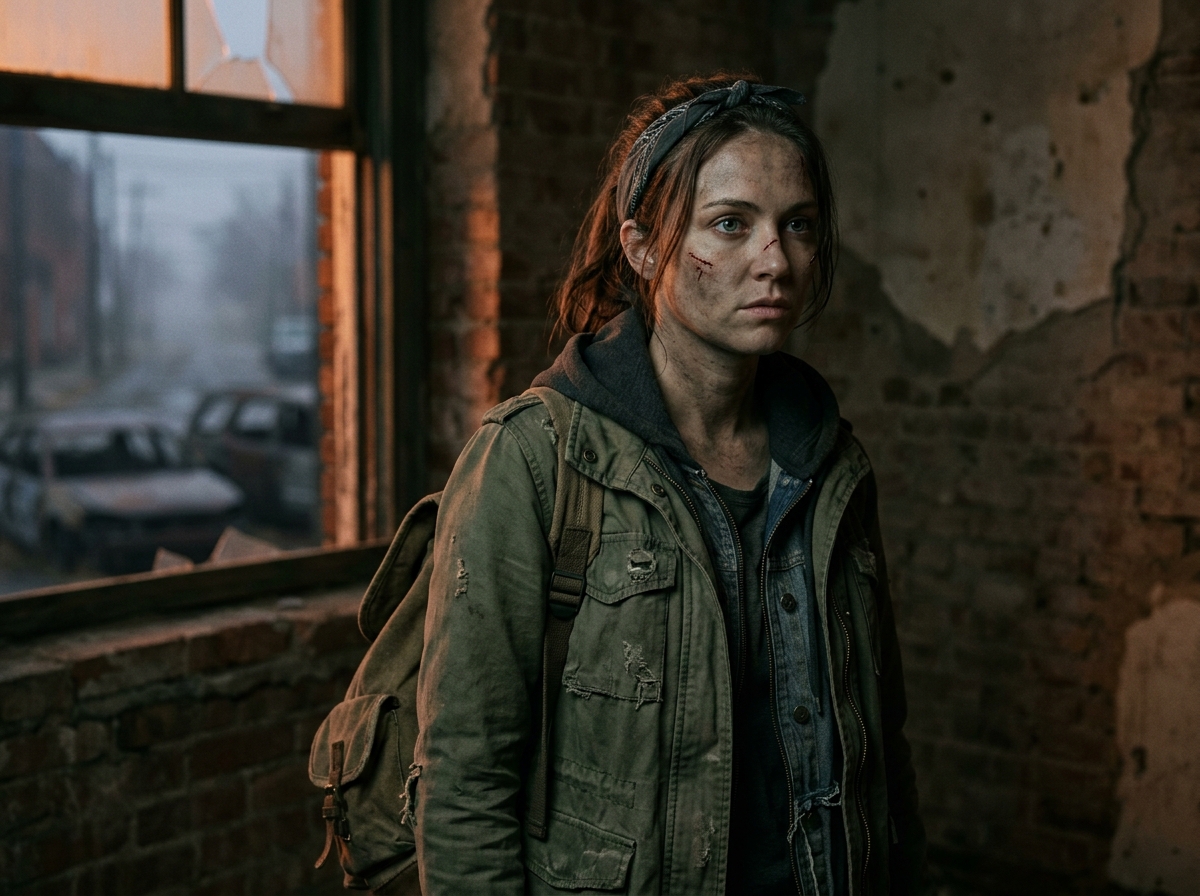
Edit the uploaded photo into a cinematic zombie survivor look. Keep the same face shape, hairstyle and pose. Add torn, dusty clothing, subtle grey-green skin tone, realistic scratches and stage-makeup wounds, tired eyes with a faint glow. Background: an abandoned street at dusk with fog and broken streetlights. Desaturated colors with a hint of orange, film-grain texture, dramatic shadows, ultra-realistic, high detail.
Prompt 4: Neon Glow Skeleton
Best for: Bold, modern edits that stand out on social media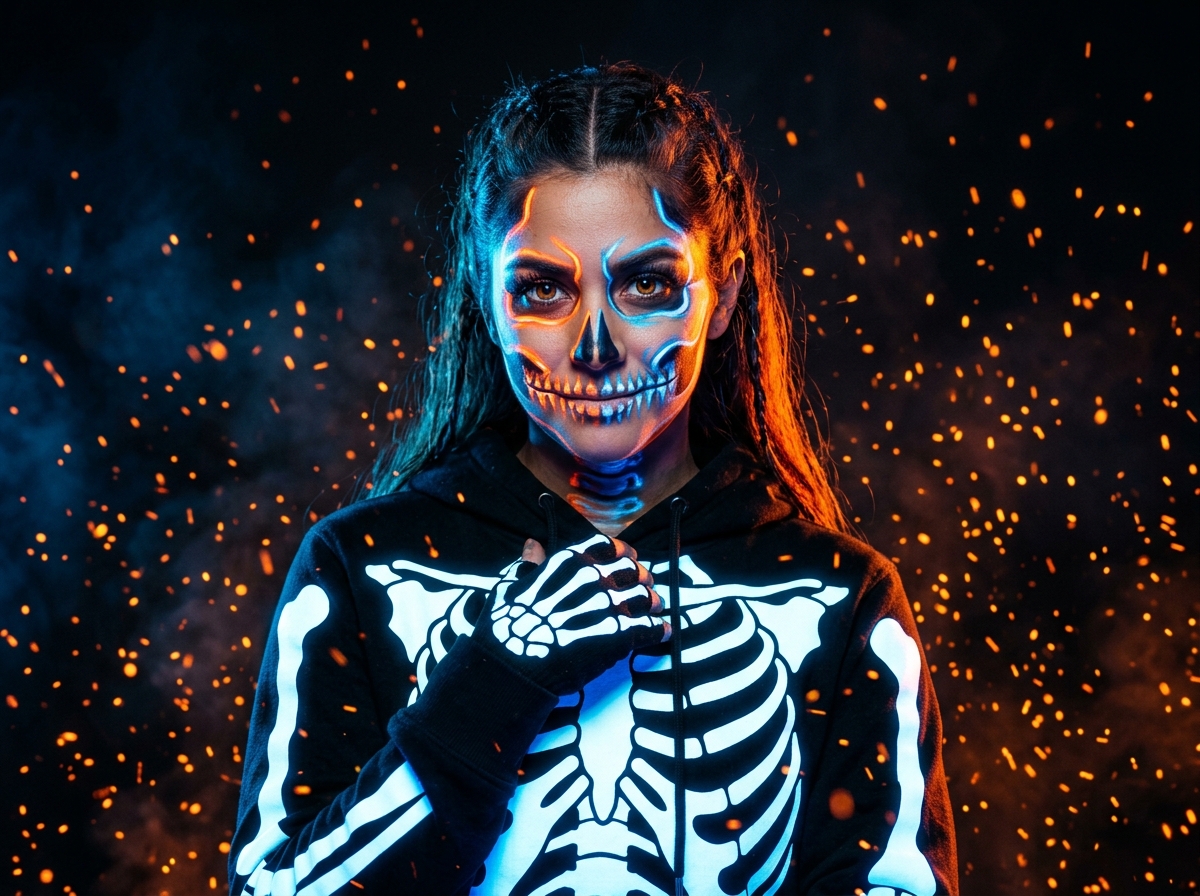
Transform the uploaded photo into a glowing skeleton costume portrait. Keep the person's original face placement and expression recognizable under stylized skeleton face paint. Dress them in a black hoodie with glowing white bone-pattern print. Use neon orange and electric blue edge lighting on a dark background with floating sparks. Sharp focus, high contrast, modern studio photography style, ultra-detailed.
Prompt 5: Haunted Scarecrow in the Pumpkin Field
Best for: Warm, autumn-themed pictures that feel spooky but friendly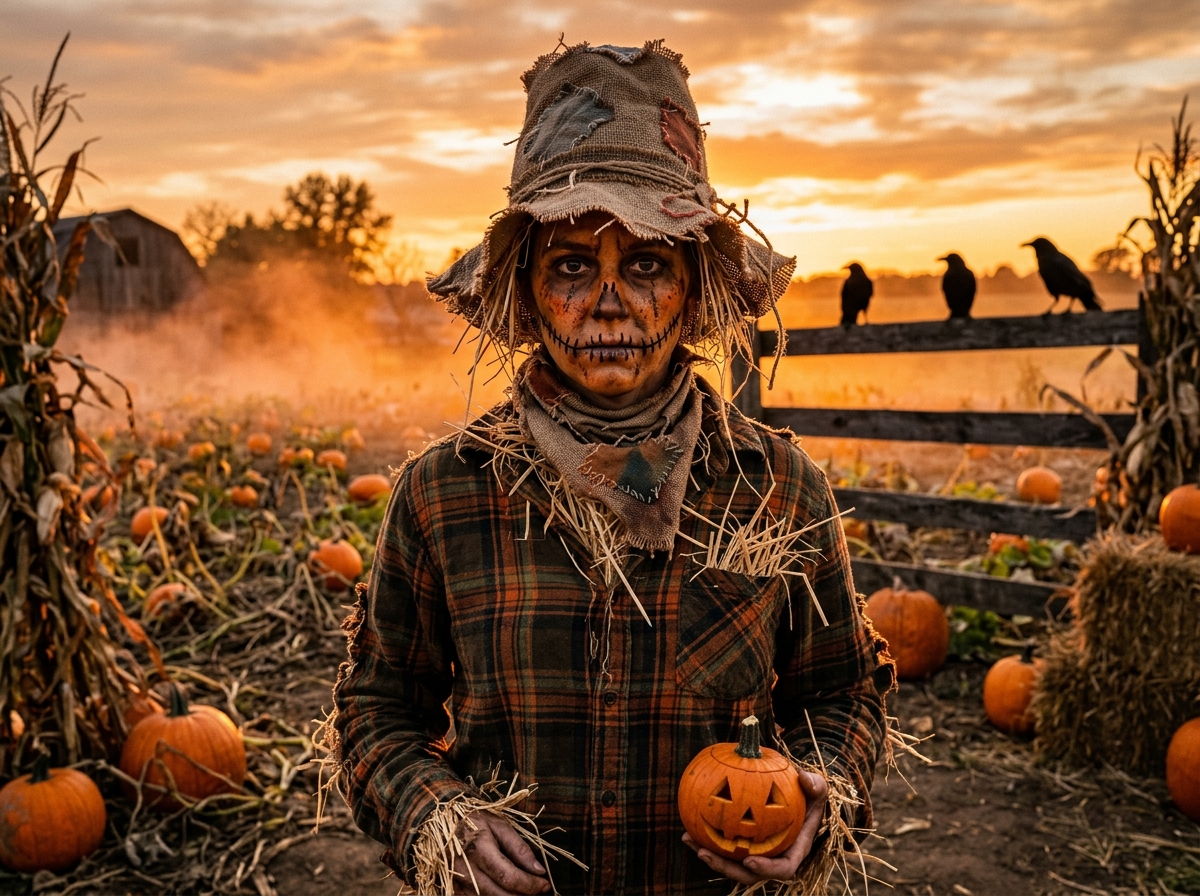
Change the uploaded photo into a haunted scarecrow portrait. Preserve the same face, expression and hairstyle. Add a patched burlap hat, a worn plaid shirt with straw poking out of the sleeves, stitched cheek details and subtle rustic face paint. Place the person in a pumpkin field at sunset, with crows on a wooden fence and orange mist across the ground. Warm golden-hour lighting, realistic textures, cinematic, high detail, 4K.
Pro Tips to Get Better Halloween Costume Results
1. Be specific about fabrics and colors. “Black velvet coat with red lining” gives far better results than just “vampire dress.”
2. Always include the identity line. Phrases like “keep the same face and facial features” reduce the chance of the AI morphing you into a stranger.
3. Change one thing at a time. If the costume looks perfect but the background is weak, only edit the background instruction in your follow-up message.
4. Use lighting words. Candlelight, moonlight, neon glow, and golden hour completely change the mood and make images feel three-dimensional.
5. Try aspect ratios. Use vertical (9:16) for Instagram Stories and Reels, and square (1:1) or (4:5) for profile pictures and feed posts.
6. Avoid copyrighted characters. Prompts based on original ideas, such as “a vampire count” or “a forest witch,” are safer for commercial and public use than naming trademarked movie characters.
7. Upscale the final image. If the AI output looks slightly soft or grainy around the eyes, run it through a free AI image upscaler before posting online.
Common Mistakes to Avoid
Low-quality input gives low-quality output. The AI cannot guess facial details that aren't visible in the original shot.
One-line prompts like “make me a witch” produce generic results that often replace your face entirely.
Too many conflicting ideas, such as a vampire zombie witch in outer space, confuse the generative model.
If hands look odd or distorted, specify “natural hands resting on coat” or simply crop the composition to the upper chest.
Creative Ways to Use Your AI Halloween Costume Photos
- WhatsApp or Instagram profile pictures: Update your avatar during the Halloween week for instant festive vibes.
- Halloween party invitations: Create personalized, spooky party invites featuring your generated look.
- “Before and After” Reels or TikToks: Show your original candid photo transitioning into the spooky finished portrait.
- Costume and makeup planning: Use the AI render as visual inspiration before shopping for costumes or hiring an SFX makeup artist.
- Group costume challenges: Share your results in group chats and challenge friends or family to create their own matching alter-egos.
- Custom greeting cards: Print them on postcard paper for personalized Halloween cards and gift tags.
Halloween vs. Helloween: A Quick Note
Some people search for “helloween costumes,” which is a common spelling variation. The correct spelling is Halloween, which originates from “All Hallows' Eve,” the evening before All Saints' Day on November 1. Whichever spelling you type in a search box, the idea is the same: a night of costumes, folklore, and a little harmless fear. AI prompts have simply added a modern, creative way to take part in this centuries-old tradition.
Frequently Asked Questions
Q1. What is a Halloween costumes AI prompt?
It is a text instruction that tells an AI image tool how to dress and style a person in a Halloween costume, usually based on an uploaded photo.
Q2. Will the AI keep my face the same?
Mostly yes, if you include a clear instruction to preserve your face and features and use a sharp, front-facing photo. Results can vary by tool.
Q3. Can I use these prompts for free?
The prompts are completely free to copy and modify. Whether the image generation itself is free depends on the specific AI tool (like ChatGPT free tier, Gemini, or credit-based platforms) you choose to use.
Q4. Which photo works best?
A well-lit, high-resolution portrait with a clearly visible face, neutral lighting, and no heavy beauty filters or sunglasses.
Q5. Can I use these images commercially?
Check the commercial terms of the AI tool you used. Most platforms define their own commercial usage and licensing rights, so review them before using generated photos for marketing or business purposes.
Q6. Can I make couple or group Halloween costumes?
Yes! Upload a couple or group photo and instruct the AI: “give each person a matching vampire-family costume while preserving everyone's face.” Results improve significantly when each face is well lit and facing the camera.
Conclusion
A Halloween costumes AI prompt is one of the easiest ways to experiment with spooky looks without spending money on expensive costumes or hours on messy makeup. With a clear photo, a well-structured prompt and a bit of patience, you can turn an old picture into a vampire, witch, zombie, skeleton or scarecrow in seconds.
Start with the five prompts above, adjust them to your personal taste, and keep experimenting.
🎃 Happy Halloween, and stay spooky! 👻